Management
The Management group covers platform housekeeping: the composition model and operator registry, and the platform license. Use these pages to verify which software stacks are available for network design, monitor operator health, and confirm which capabilities are active on the cluster.
- Models & Operators —
/models-operators - Platform License —
/license
Models & Operators
Route: /models-operators
The page is split into two tabs — Composition Models and Operators — with a shared Resource search box that filters entries by name or provider.
Composition models define the software stacks (such as OAI, srsRAN, or BubbleRAN) available when deploying network elements in the Intent Builder. Operators are the Kubernetes controllers that reconcile those resources on the cluster (e.g., Athena, Odin, Mithra).
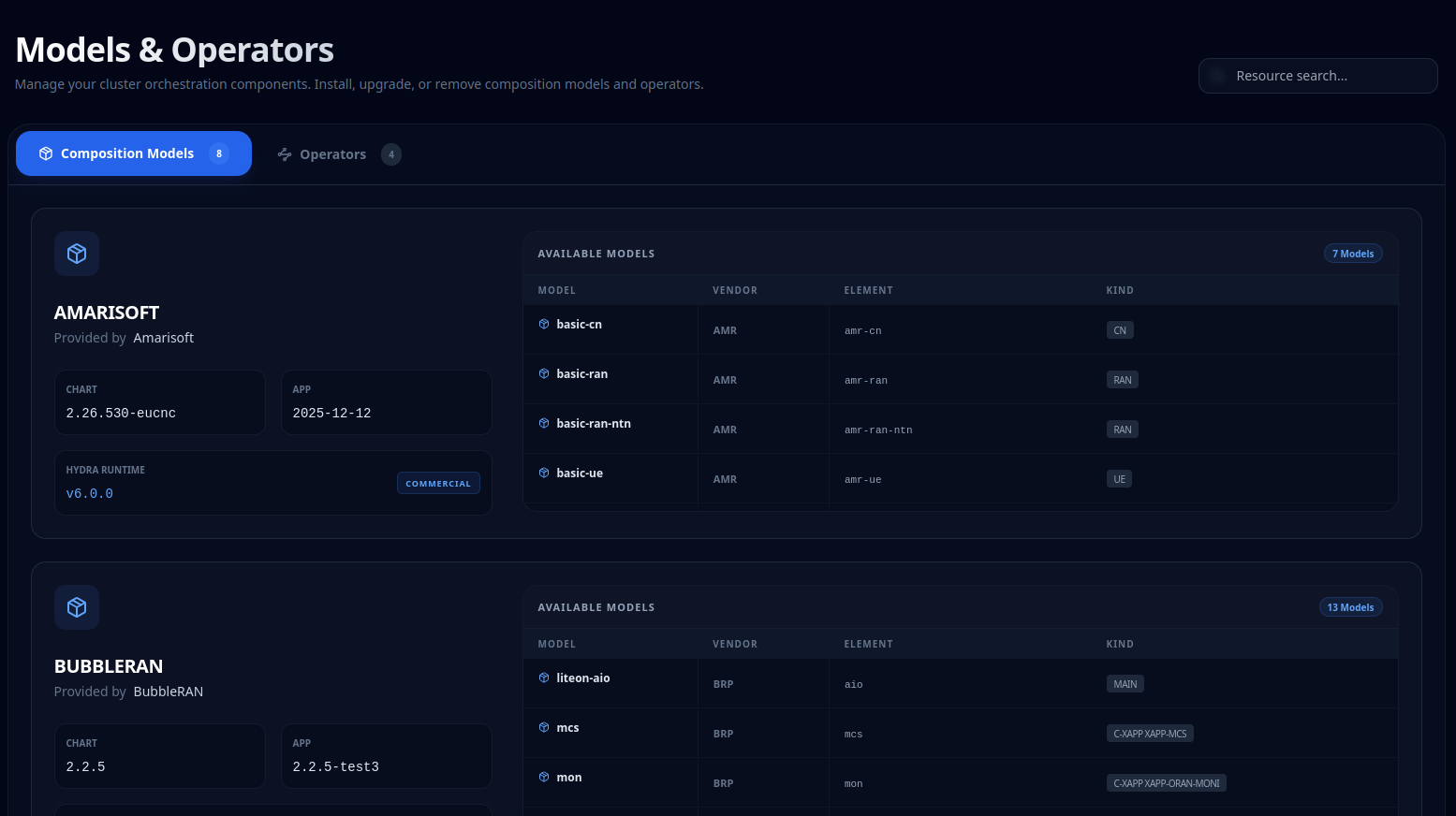
Composition Models
Each model card shows the package name, provider, and version boxes — Chart, App, and Hydra Runtime. Alongside each card, an Available Models table enumerates the deployment modes the package exposes, with columns Model / Vendor / Element / Kind. These same models are then the ones used by the relative Builders.
Operators
A table of all cluster operators with columns Operator / Version / Status / Last Check. The Status column has two states:
| Status | Colour | Meaning |
|---|---|---|
| 🟢 Synchronized | Emerald | Operator is at the latest known version and fully reconciled. |
| 🟠 Update Available | Amber | A newer version exists; upgrade via your cluster tooling. |
Platform License
Route: /license
The Platform License page shows the cluster's identity, current license status, and the full map of unlocked capabilities. This is the first place to check when a feature is unexpectedly unavailable — the capabilities grid shows exactly what the active license permits.
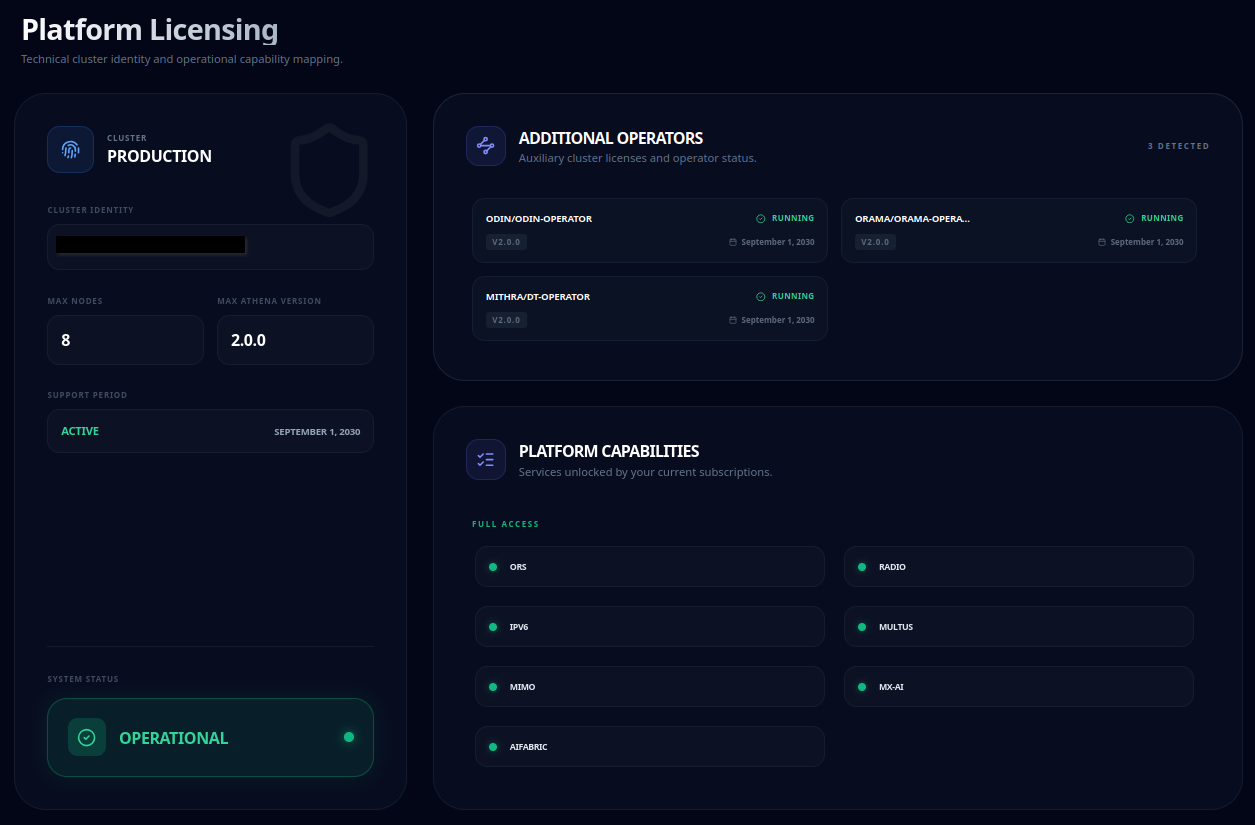
Cluster identity & status
The left column shows the owner, the cluster identity (UUID), Max Nodes, Max Athena Version and the Support Period (Active / Expired with expiry date). A System Status card reflects the license severity:
| Status | Colour | Meaning |
|---|---|---|
| 🟢 Operational | Emerald | License active — all capabilities functional. |
| 🟡 Functional | Amber | Support period expired — new features and updates disabled. |
| 🔴 Access Restricted | Rose | No valid license — core operations disabled. |
Operators & capabilities
- Additional Operators — auxiliary operator licenses, each showing its version and expiry date.
- Platform Capabilities — a grouped grid of every capability on the cluster, colour-coded by access level:
- 🟢 Full Access — capability is active and fully licensed.
- 🟡 Functional — capability is present but operating under a degraded or expired license.
- 🔴 Discontinued / Expired — capability is no longer available under the current license.
This grid is the definitive reference for confirming whether a feature such as aifabric or dt-operator is unlocked on your cluster.
Renewing
The Request Upgrade button in the support banner opens the BubbleRAN support channel for renewal or capability questions.