Intelligence
An AI Fabric is a set of LLMs, MCP tool servers and agents, wired together: which model each
agent uses, which tools it may call, and which other agents it can talk to. This group builds
fabrics, shows the deployed ones and lets you chat with their agents. It requires the aifabric
license capability.
- Fabrics —
/ai-fabrics - Fabric Builder —
/fabric-builder - Chats —
/ai-chat
Fabrics
Route: /ai-fabrics
Each deployed fabric is a card with its status, pod readiness (e.g. 3/4 Pods), the number of LLMs,
agents and MCP servers, and a diagram of how ready each group is. Deploy Fabric opens the
Fabric Builder.
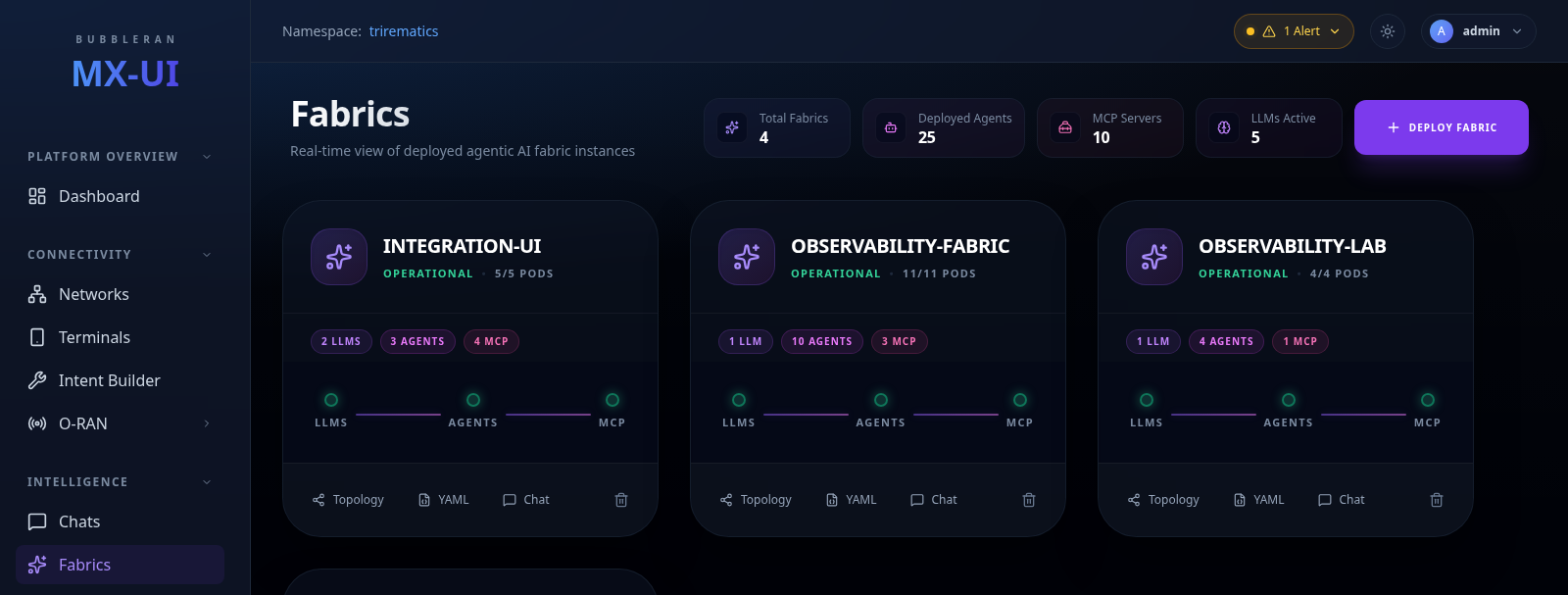
Card actions: Topology (the agent / MCP graph), YAML, Chat (only when the fabric has agents) and Delete.
This is also the page to check pod-level health. See the note under Chats.
Fabric Builder
Route: /fabric-builder
Build a fabric in four tabs, from top to bottom. Preview YAML shows the manifest, the live
Topology shows the design so far, and Deploy Fabric validates and sends it. Deploying also
requires the orama operator on the cluster.
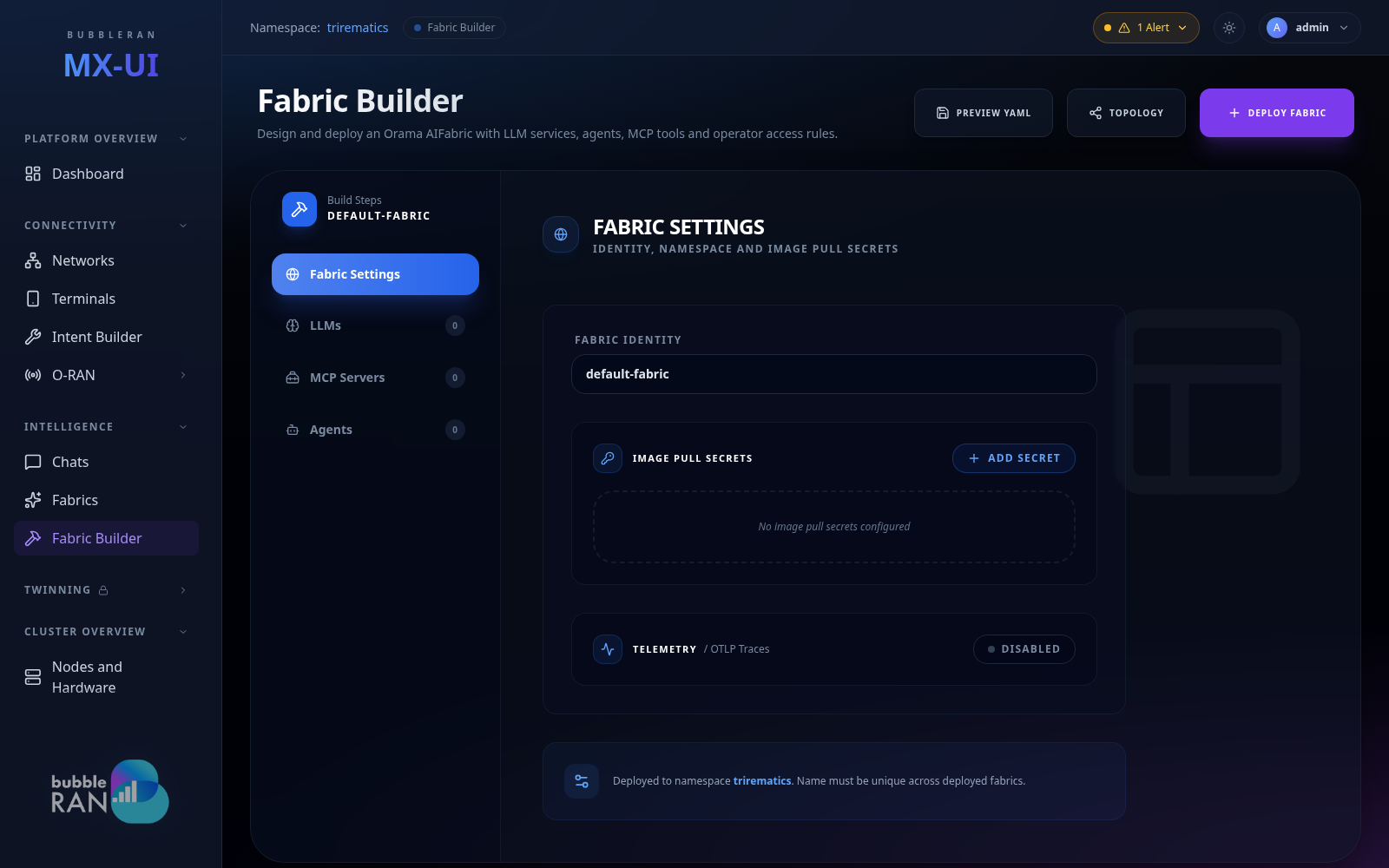
- Fabric Settings. The name, and the workflow topology: Supervised routes all agent communication through one supervisor, Custom lets agents route to each other freely. You can also set a custom UI image and image pull secrets for private registries.
- LLMs. Register at least one before adding agents. Each LLM names a provider (OpenAI, Anthropic, Ollama, …) and a model. Self-hosted backends such as Ollama or Omniroute need a Base URL. Credentials are a reference to a Kubernetes Secret, not the key itself; leave it empty for unauthenticated local backends.
- MCP Servers (optional). Tool servers that agents can call. A server can be given read / write access to the Near-RT RIC or SMO APIs, and environment variables.
- Agents. Each agent is bound to one LLM and can depend on other agents and on MCP servers. In a supervised fabric there must be exactly one Supervisor; the rest are Workers. RIC and SMO access go from Restricted up to Operational, so give an agent only what it needs.
Chats
Route: /ai-chat (or /ai-chat?fabric={name})
Talk to a fabric's agents. Pick the fabric and the agent in the sidebar; the supervisor is marked Lead. Switching fabric starts a new conversation.
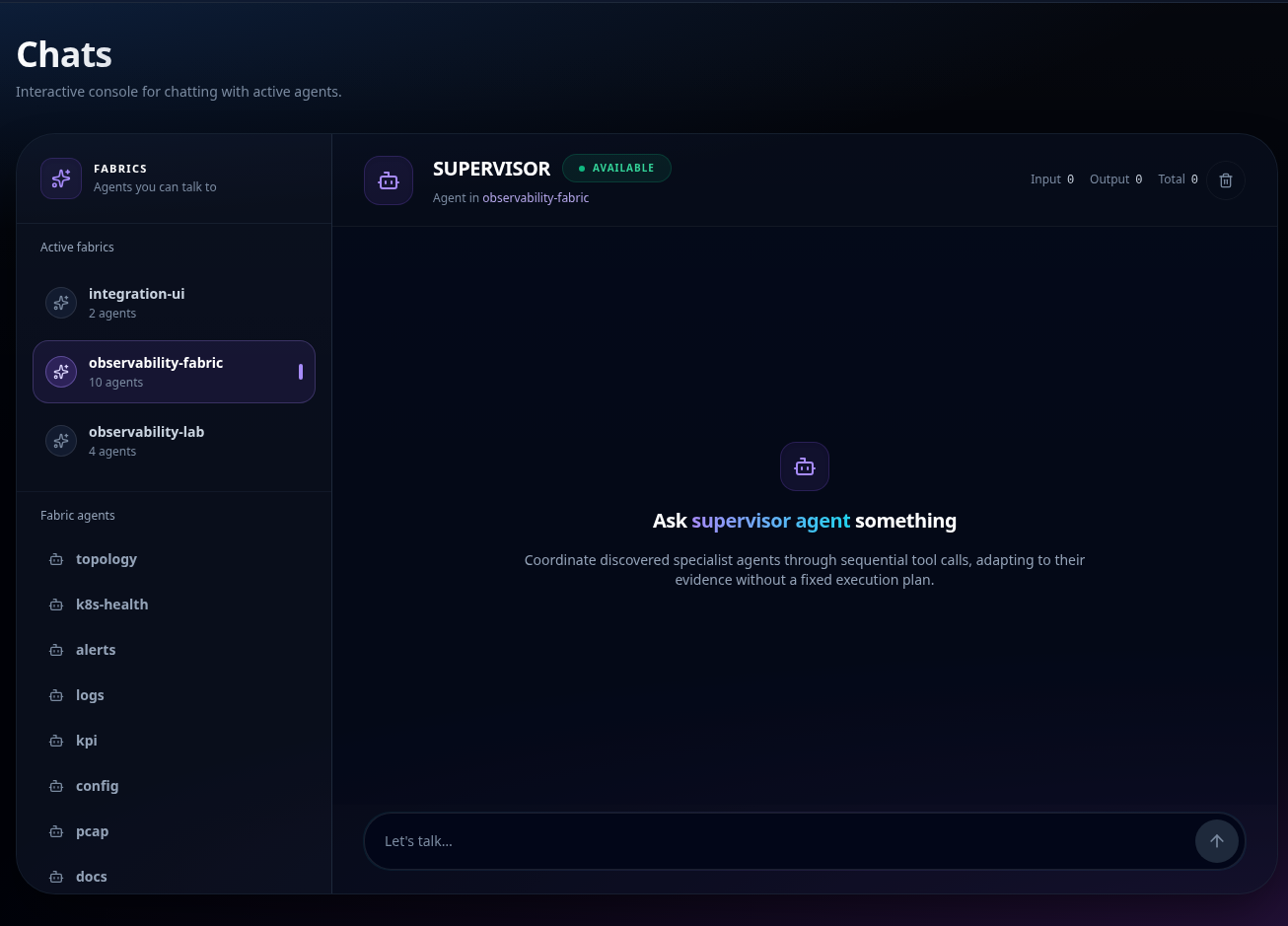
Answers stream in as formatted text, with a status line showing what the agent is doing (initialising, calling a tool, …) and token usage in the header (if telemetry is enabled). Stop aborts an answer but keeps the conversation, so you can follow up. Clear History wipes it. Where enabled, Raw shows the underlying events under a message.
Availability
The input is enabled only when the fabric reads Available. Otherwise it is disabled and the placeholder says why: the fabric is still deploying (its agents are not reachable yet), not built yet, or degraded.
Availability reflects the fabric resource, not each agent's pod. An agent that is crash-looping under an otherwise ready fabric still reads Available and fails when asked. Check pod readiness on Fabrics.